How to Track AI Rankings in ChatGPT, Gemini, and Perplexity
Earlier, tracking rankings was simple.
You could clearly see where your website stood on Google. Tools like Google Search Console, GA4, Semrush, Ahrefs, and Ubersuggest made it easy to track keywords, queries, impressions, clicks, and user behavior. You knew exactly which keyword brought a user and from where.
But that world has changed.
Today, users are no longer relying only on search engines. They are searching directly on ChatGPT, Perplexity, and Gemini. And this shift has made ai ranking and ai visibility one of the biggest challenges in modern SEO.
There is no official AI rank tracker.
There is no keyword position report.
There is no dashboard that tells you which AI is sending traffic or which queries triggered it.
So the big question becomes:
How do you track AI rankings when AI doesn’t show rankings at all?
In this article, I’ll share the exact process I personally use to track AI queries, keywords, and visibility across ChatGPT, Perplexity, and Gemini—using a mix of analytics, tools, and manual validation.
Why Tracking AI Rankings Is Difficult Today
Unlike Google, AI platforms don’t show:
- keyword positions
- search volumes
- query reports
- or ranking URLs
You don’t know:
- which AI sent the user
- what query they searched
- whether it was ChatGPT, Gemini, or Perplexity
- or whether the traffic was human or bot-based
This makes ai search ranking completely different from traditional SEO.
And as of today, no tool gives exact AI rank tracking.
That’s why we need a hybrid approach—part data, part observation, part manual work.
My Complete Process to Track AI Queries & Keywords
Tools Used:
- GA4
- Google Search Console (GSC)
- Manual tracking
- Ubersuggest
- Semrush
Let’s break it down step by step.
Step 1: Confirm AI Visibility Using GA4
Before tracking queries, you must confirm whether your website is visible on AI platforms at all.
How to do it:
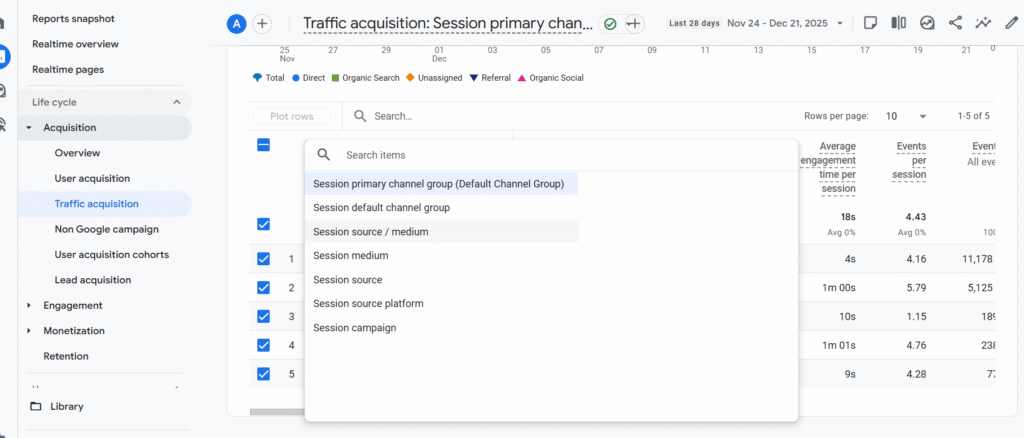
- Open GA4
- Go to Acquisition → Traffic acquisition
- Apply a filter: Source / Medium
- Look for sources like:
- chatgpt.com
- perplexity.ai
- gemini.google.com
- chatgpt.com
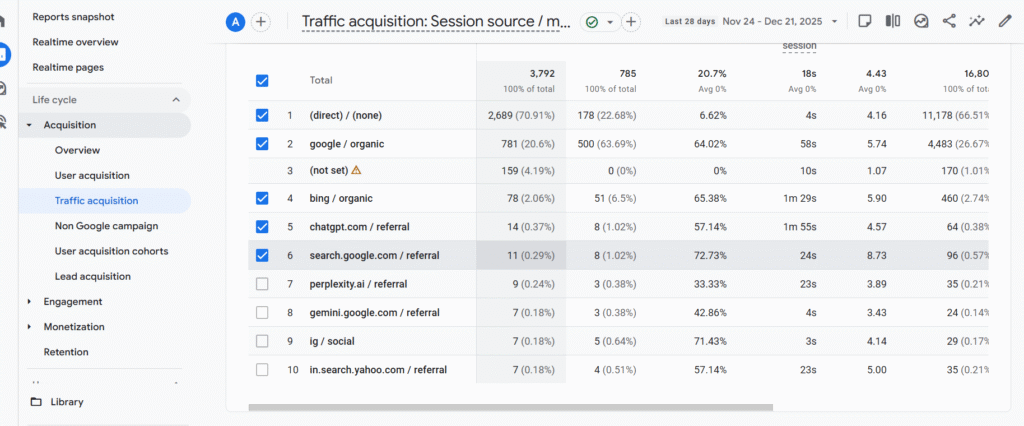
If you see:
- sessions
- users
- engagement rate
- events
Then congratulations — your website has ai visibility.
Important Tip:
If you see ChatGPT or Perplexity listed but:
- engagement rate = 0
- sessions = 0
- no events
Then it’s most likely a bot crawl, not real users. Do not count that as AI traffic.
Once GA4 confirms real engagement, you can move forward.
Step 2: Match Time Filters Between GA4 and GSC
This part is extremely important and often ignored.
If you’re checking:
- Last 7 days in GA4
Then you must check: - Last 7 days in GSC as well
Same for 28 days or any other range.
Without matching filters, your data will never align.
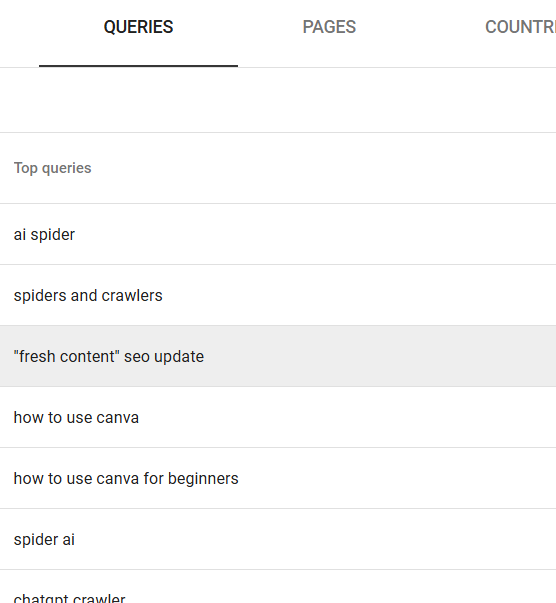
Step 3: Find AI-Driven Queries in Google Search Console
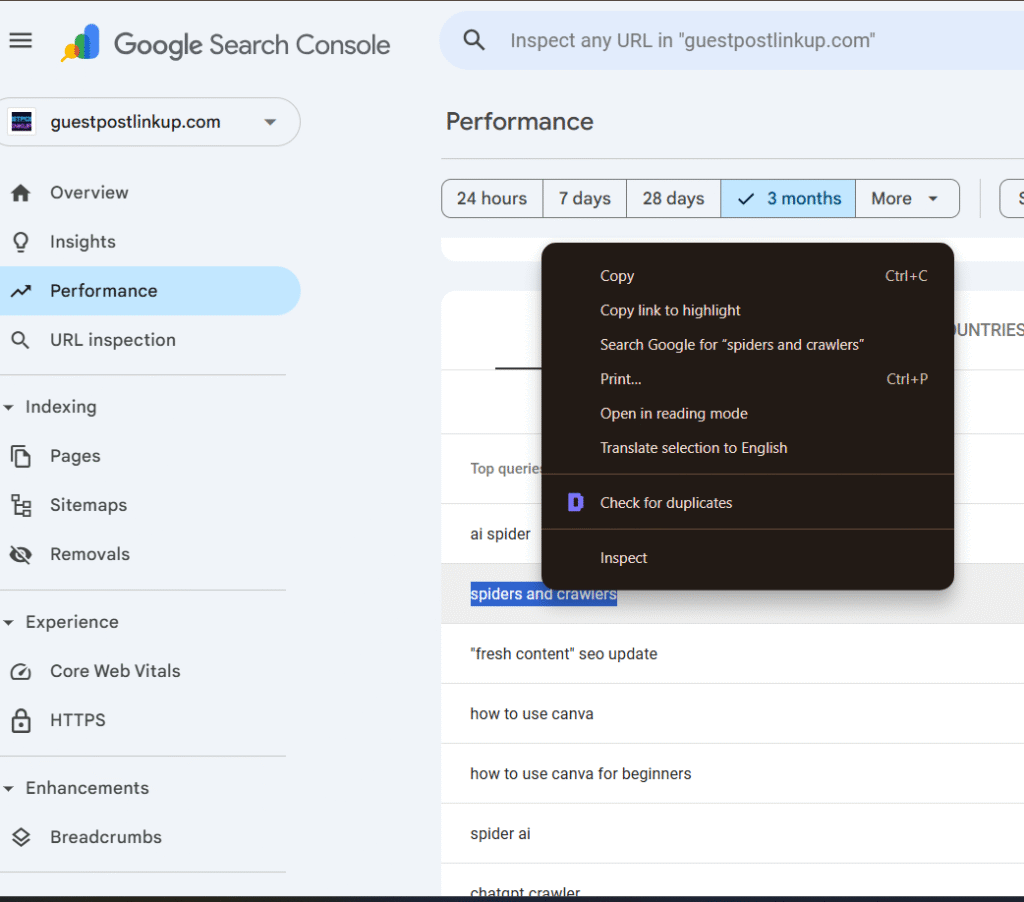
Now go to Google Search Console.
- Open Performance → Search results
- Select Queries
- Set rows to 500
- Look carefully for question-based queries
From my observation:
- Earlier, GSC mostly showed keyword-style queries
- Now, I’m seeing full question queries
- This increase started after AI tools became mainstream
This is your first signal that users are searching conversationally—often through AI.
Step 4: Store Question Queries in a Sheet
Now comes documentation.
- Open Google Sheets or Excel
- Create columns like:
- Query
- Source (GSC)
- AI Visibility (Yes/No)
- ChatGPT
- Perplexity
- Gemini
- Notes
- Query
Copy only question-based queries from GSC and paste them into the sheet.
This sheet becomes your AI ranking tracking base.
Step 5: Manual Track AI Ranking (Most Important Step)
This step answers the question:
How to track AI rankings in ChatGPT?
Process:
- Copy one query from the sheet
- Paste it into ChatGPT
- Observe:
- Does your website appear?
- Is it cited or referenced?
- Does your website appear?
- Repeat the same query in:
- Perplexity
- Gemini
- Perplexity
What you’ll notice:
- Perplexity usually shows sources clearly
- ChatGPT often gives citations
- Gemini ranking strongly aligns with Google’s top results
From my research:
- Gemini ranking is highly connected to Google Top 10 results
- If your page ranks in Google Top 10, there’s a high chance it appears in Gemini
If your site appears in AI answers, that query is part of your ai ranking footprint.
Step 6: Use Ubersuggest for AI Visibility Confirmation
Ubersuggest recently introduced an AI Visibility feature that helps to track AI rankings in ChatGPT?
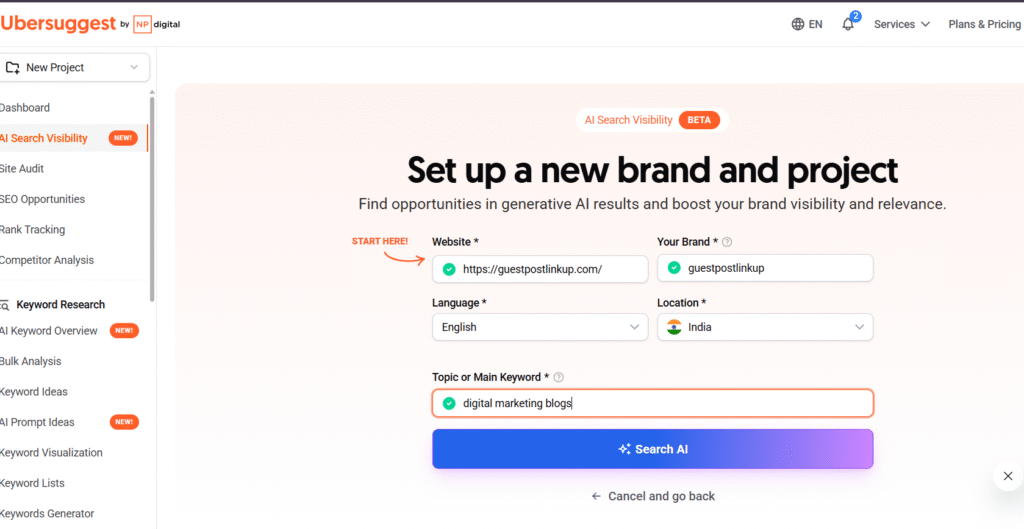
How to use it:
- Log in to Ubersuggest
- Open AI Visibility
- Enter:
- Website URL
- Brand name
- Language
- Location
- Query (from your sheet)
- Website URL
It shows:
- AI-related queries
- visibility indicators
- ChatGPT-related mentions
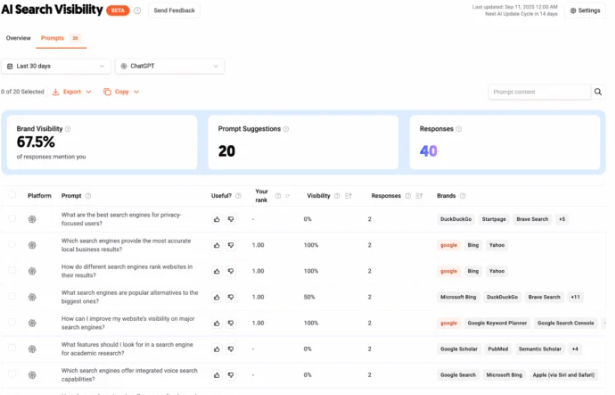
To confirm accuracy:
- Take the query
- Test it manually in ChatGPT, Perplexity, and Gemini
In my testing, Ubersuggest’s AI data matched manual results closely.
Important Tip : Ubersuggest shows only how to track AI rankings in ChatGPT? Gemini ranking , perplexity features are yet to come but you can test it queries in gemini and perplexity.
Step 7: Track AI Visibility Using Semrush
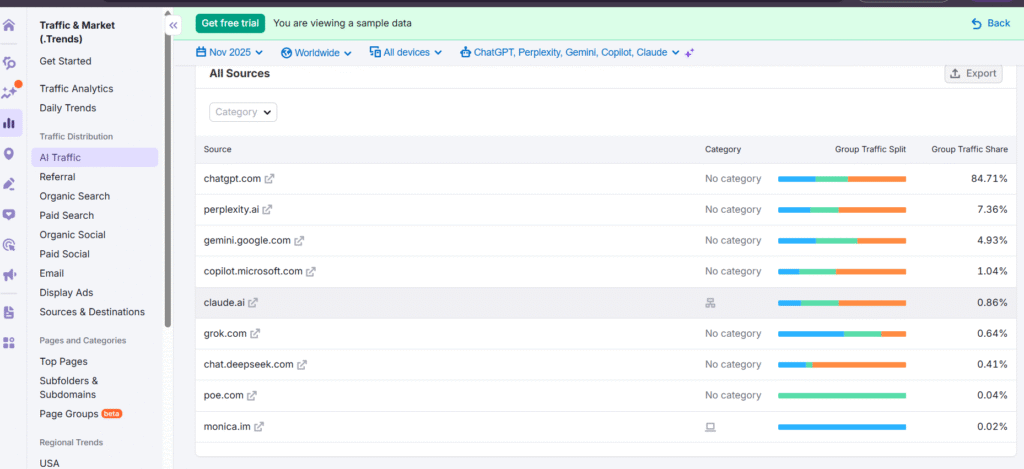
Semrush now offers an AI Visibility section covering:
- ChatGPT
- Perplexity
- Gemini ranking
- Claude
- Copilot
- DeepSeek and more
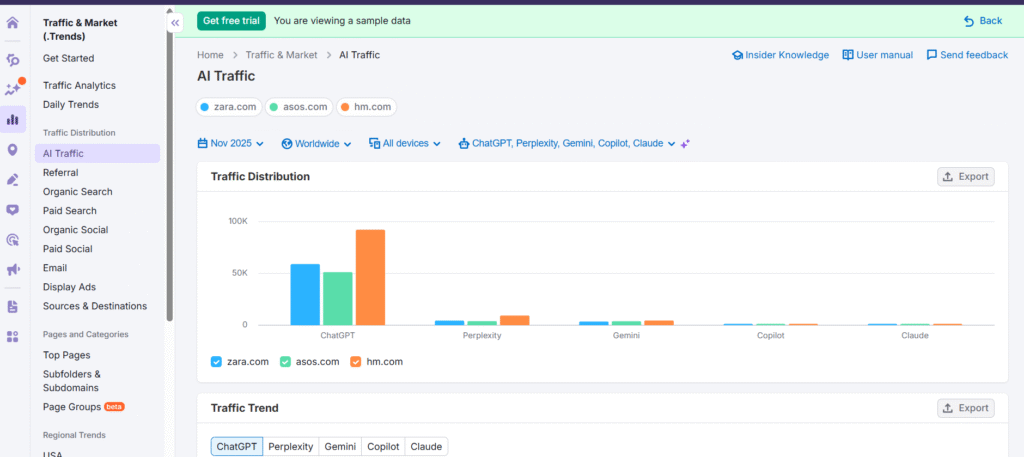
How it works:
- Log in to Semrush
- Open AI Visibility
- Enter your website URL
- View:
- AI presence
- sources
- visibility distribution
- charts and graphs
- AI presence
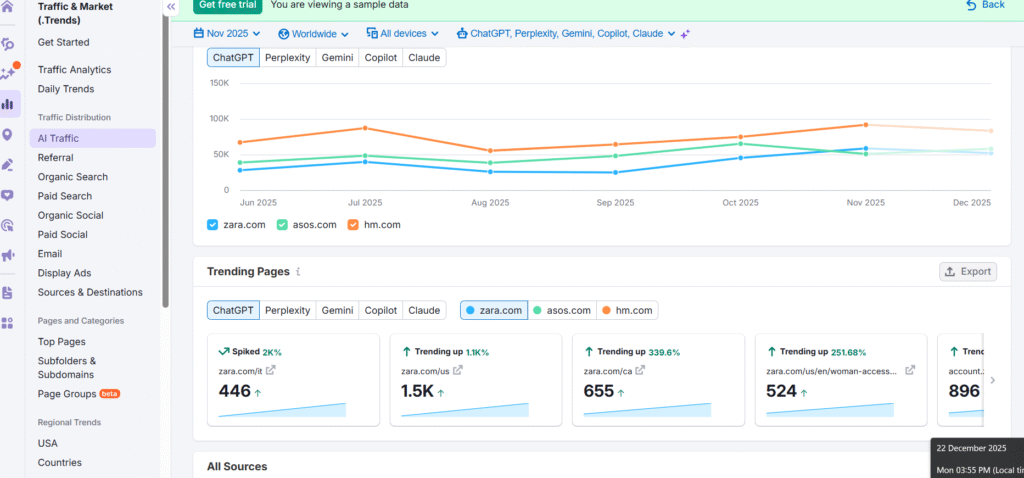
Limitation:
- Free version shows limited data
- Paid version gives full insights
Budget Tip:
You can access paid Semrush through group-buy tools like SEO Tool Adda for a small fee (₹199–₹200+ for 3 months).
Step 8: Find More AI Queries Using GSC + ChatGPT
To expand your AI query list:
- Copy high-impression keywords from GSC
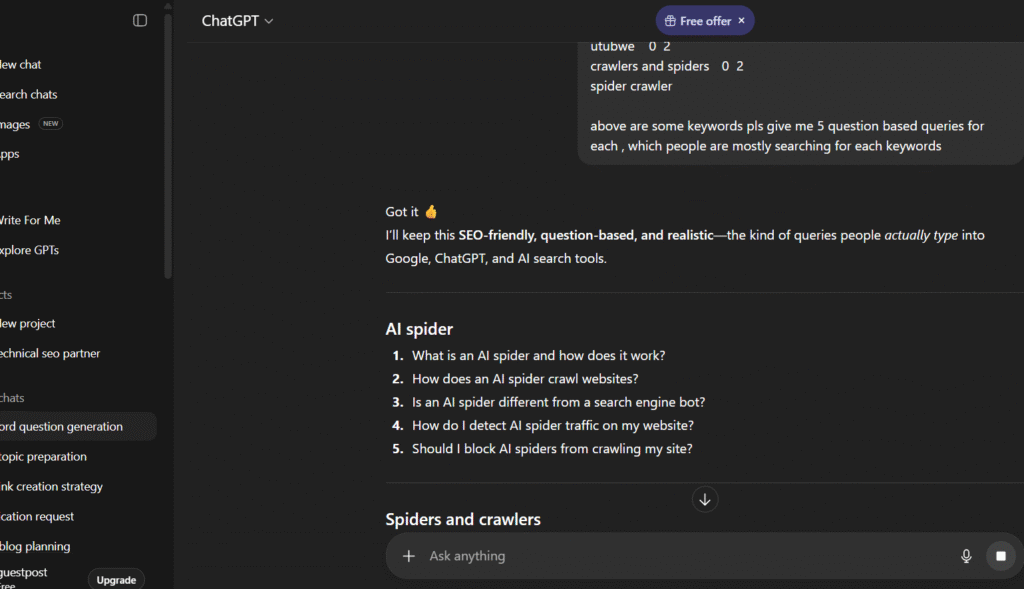
- Paste them into ChatGPT
- Ask ChatGPT to:
- Convert keywords into question-based queries
- Generate 5–10 variations per keyword
- Convert keywords into question-based queries
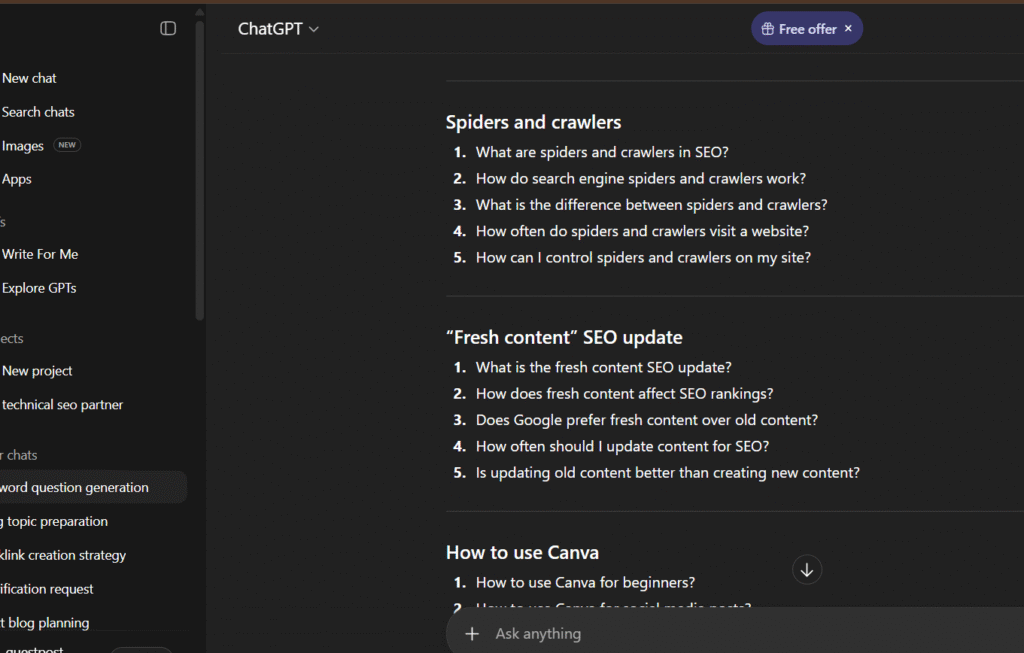
Then:
- Test these questions manually in AI tools
- Add confirmed ones to your sheet
This helps you track ai rankings beyond visible GSC data.
Bonus Observation (Very Important)
From my research:
- Perplexity and Gemini often show similar results
- ChatGPT responses vary more based on user context
To confirm accuracy:
- Test queries using 2–3 Chrome profiles
- Or different logged-in email accounts
This gives stronger validation.
Frequently Asked Questions
Q1. How accurate are tools like Semrush and Ubersuggest?
They are useful, but manual tracking is still essential. No tool is 100% accurate yet.
Q2. What if GA4 shows ChatGPT traffic but GSC shows no question queries?
Use top-performing keywords from GSC, convert them into questions, and manually test them in AI platforms.
Q3. If I rank in Google Top 10, will I rank in Gemini?
In my observation, around 80% of the time — yes.
Q4. If I rank in ChatGPT, will I rank in Perplexity and Gemini?
Mostly yes, but not always. Expect 50–80% overlap, depending on query type.
The End
Tracking ai ranking today is not easy.
It requires effort, observation, and manual validation.
But based on my personal research, analytics work, and real brand testing, this method is:
- practical
- repeatable
- and accurate enough to show real AI visibility
Until we get a perfect AI rank-tracking tool, manual + analytics-driven tracking is the best approach—especially if you want proof for clients.
If you follow this process, you’ll be able to:
- track AI queries
- measure AI visibility
- and understand how users find you through AI platforms.
I hope this blog helps you to get an answer of how to track AI rankings in ChatGPT? Gemini ? Perplexity?
If you have more questions, feel free to drop them in the comments.
And if you found this helpful, don’t forget to subscribe to Guestpostlinkup for more deep-dive AI and SEO insights.
Thanks for reading — see you in the next blog.